Drone Mapping & Surveying Software
Published by:Beyond Sky
 English
Drone mapping software has quietly become the core of serious drone work: it is where flights turn into measurements, and images turn into decisions. Without the right drone surveying software, even the best 3D mapping drones are just collecting impressive pictures instead of mission critical reliable geospatial data.
Drone mapping software is the processing layer between raw sensor data and usable maps or models. It ingests photos or LiDAR scans, aligns them in space, and produces outputs like orthomosaics, dense point clouds, DEM and DTM terrain models, and elevation maps you can contour, measure, and share.
Most modern stacks combine three roles in one place:
Drone GIS software capabilities for analysis and export into GIS and CAD ecosystems.
In other words, it is less a single app and more the “operating system” for your mapping program.
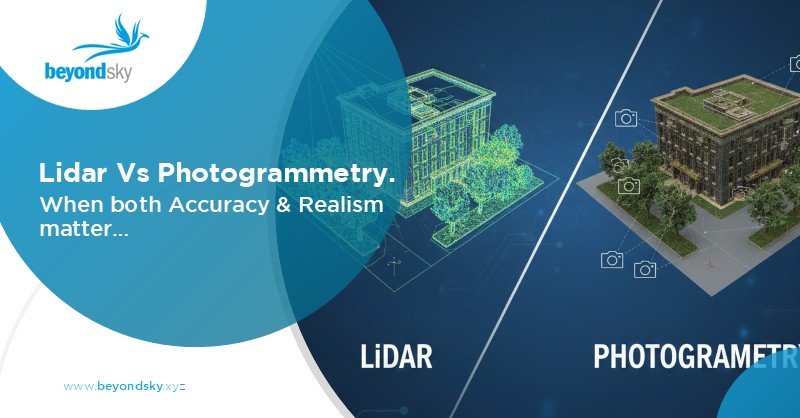
Almost every workflow you design will lean either on image-based photogrammetry or LiDAR mapping workflows, sometimes both.
Photogrammetry reconstructs 3D structure from overlapping images. With enough forward and side overlap, software can derive a detailed surface model, an orthomosaic, and 3D meshes from nothing more than RGB or multispectral photos.
Where it fits best:
LiDAR mapping workflows start from laser scanning instead of images. The sensor emits pulses, the software classifies returns as ground, vegetation, or structures, and from there you build precision terrain models that are not fooled by canopy or shadows.
Where LiDAR makes sense:
Teams often end up pairing both. LiDAR provides the geometry; photogrammetry provides the visual context that clients expect in reports and 3D viewers
Once you move beyond “does it stitch images,” certain capabilities start separating serious drone mapping software from generic tools.
Mission planning is where data quality is made or broken. Good mission planning software lets you:
Tight integration between planning and processing also means fewer surprises later: you design with the DEM or DTM you want in mind, not just with “get coverage” as the goal.
Drone mapping software becomes truly useful when it fits into existing geospatial workflows. That means:
For many teams, the core output is not the pretty 3D viewer screenshot but a DEM, DTM, or contour layer that drops into a larger GIS project.
Reliable terrain modeling is another non-negotiable. At a minimum, your platform should handle:
Done properly, these workflows deliver volumes within roughly one to two percent of traditional survey methods when control and flight planning are done correctly.3
Cloud processing and AI are no longer buzzwords; they are how teams scale. Good drone surveying software offloads heavy reconstruction to the cloud and then uses AI in more targeted ways:
For time sensitive work, the ability to get a quick low-resolution surface or orthomosaic during or soon after the mission, then a full resolution model later, is becoming standard.
The same core stack looks slightly different in each sector, but the underlying patterns repeat.
In agriculture, drone mapping software combines multispectral photogrammetry with drone GIS software tools to produce vegetation indices, emergence maps, and zoned recommendations.
Flights are scheduled around crop stages and processed to compare fields over time, rather than as one off maps.
Construction teams lean on drone surveying software for earthworks tracking, site progress, design conformance, and corridor mapping for new roads or utilities. The key is repeatability: same route, same altitude, same outputs, week after week.
In mining, the combination of 3D mapping drones and volumetric tools has become routine. Stockpiles, pits, and dump areas are flown frequently; volumes and elevation changes are tracked inside the mapping software and exported into planning systems.
Forestry and environmental teams use LiDAR and photogrammetry together. LiDAR feeds canopy height models, biomass estimates, and DTMs under dense vegetation; photogrammetry supplies detailed RGB context for classification and communication.
The direction of travel is fairly clear. Drone mapping software is moving from “processing tool” to “decision platform”.
A few trends stand out:
The outcome of all of this is simple: 3D mapping drones and the software behind them are becoming less about manual post processing and more about delivering reliable geospatial insight with minimal friction.
Drone mapping software converts raw images or LiDAR scans into orthomosaics, point clouds, DEMs, and DTMs, turning flights into measurable, sharable geospatial data rather than just pictures.
Photogrammetry reconstructs 3D data from overlapping RGB/multispectral images, while LiDAR workflows start from laser point clouds to deliver more reliable elevation under canopy and in complex terrain.
Use photogrammetry for well-lit, open sites where texture and color matter and budgets are tight; choose LiDAR for dense vegetation, tight corridors, or engineering-grade terrain accuracy.
Look for automated grid and corridor missions, configurable overlap, terrain following, and synchronized camera or LiDAR triggering so capture conditions match processing requirements.
Strong GIS integration ensures clean export (GeoTIFF, LAS/LAZ, DXF, shapefile), accurate coordinate handling, and smooth handoff into tools like ArcGIS or QGIS for real project use.
Reliable DSM/DEM/DTM generation, contour mapping, and stockpile and cutfill volume tools let teams replace many traditional survey tasks with repeatable drone-based workflows.